
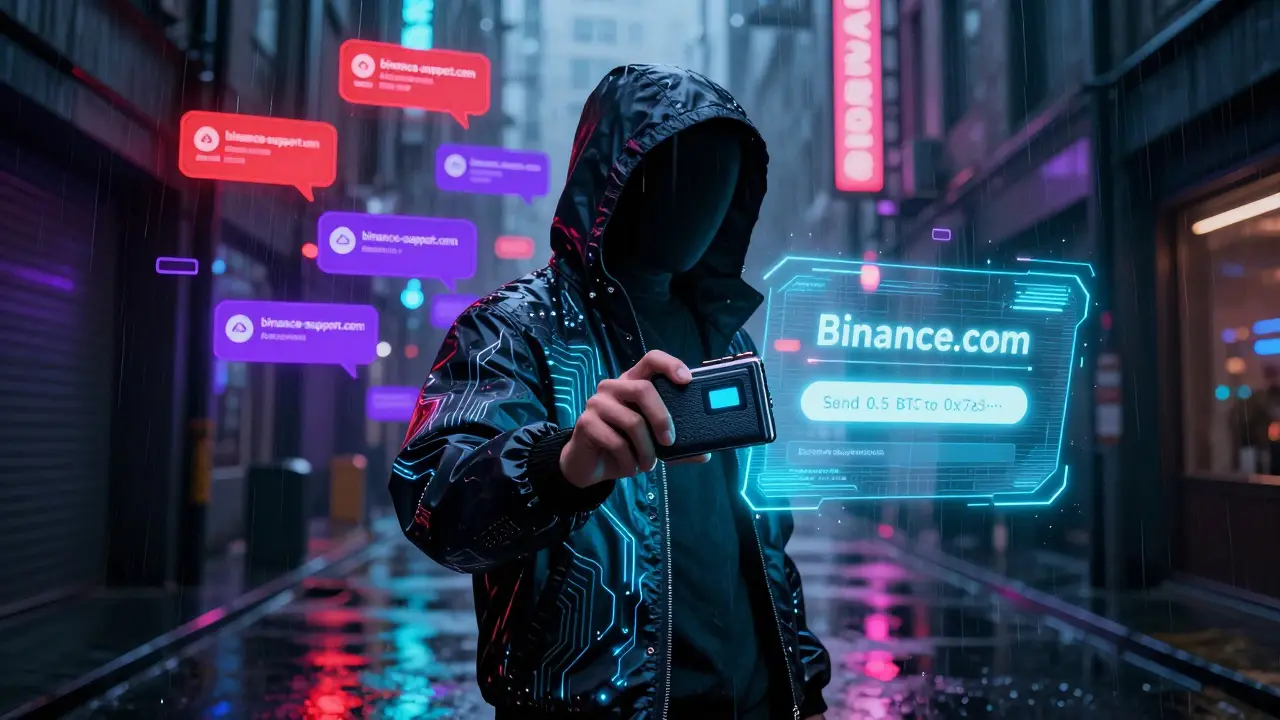
Every year, millions of dollars in cryptocurrency vanish because someone clicked a link that looked real. It’s not hackers breaking into systems-it’s people being tricked. Phishing isn’t some futuristic threat. It’s happening right now, to people just like you. And if you hold crypto, you’re a target.
What Exactly Is Crypto Phishing?
Crypto phishing is when scammers pretend to be a wallet provider, exchange, or support team to steal your private keys or seed phrase. They send fake emails, texts, or DMs with links to fake login pages. One moment you’re logging into your exchange, the next you’ve handed over everything. No malware needed. Just your trust. In 2025, phishing accounted for over 60% of all crypto thefts, according to blockchain security firms. The average loss per victim? Over $12,000. And it’s getting smarter. Scammers now use AI to mimic your favorite crypto influencer’s voice in voice calls, or clone support chat interfaces with near-perfect accuracy. They don’t need to hack your device-they just need you to give them access.Hardware Wallets: Your First Line of Defense
If you hold more than a few hundred dollars in crypto, you need a hardware wallet. Devices like Ledger, Trezor, or OneKey store your private keys offline. Even if you visit a fake website, your keys never leave the device. The screen on the wallet shows exactly what you’re signing. If it says “Send 0.5 BTC to 0x7a3…”, and you didn’t ask for that-you cancel it. Simple. Software wallets connected to your phone or computer are vulnerable. Malware can intercept transactions, keyloggers can steal passwords, and phishing sites can trick you into entering your seed phrase. A hardware wallet stops all of that. It’s not expensive-most cost between $50 and $100. That’s less than the cost of one phishing attack.Never, Ever Share Your Seed Phrase
Your 12- or 24-word seed phrase is the master key to your crypto. No legitimate company-no exchange, no wallet support, no blockchain analyst-will ever ask for it. Ever. If someone does, it’s a scam. Yet, in 2025, over 30% of crypto users admitted they’d shared their seed phrase with someone they thought was “helping” them recover funds. That’s how most losses happen. Someone calls pretending to be from Coinbase or MetaMask, says your account is frozen, and asks for your phrase to “unlock” it. You give it. Done. Gone. Write your seed phrase on paper. Store it in a fireproof safe. Don’t take a photo. Don’t save it in Notes. Don’t type it into any app. If you need to move funds, use your hardware wallet’s screen. Always.Use Multi-Factor Authentication (MFA)-But Not SMS
MFA adds a second step to log in. It’s not optional. It’s mandatory. But not all MFA is equal. SMS codes? Useless. Scammers can hijack your phone number through SIM swapping. They call your carrier, pretend to be you, and get your number transferred to a device they control. Then they get your text code. Use an authenticator app instead. Google Authenticator, Authy, or Raivo. These generate time-based codes on your device, not your phone number. Even if your password is stolen, they still can’t log in without the app. Better yet? Use passkeys if your wallet or exchange supports them. Passkeys use biometrics (fingerprint or face ID) and device-based encryption. They’re phishing-resistant by design. No passwords. No codes. Just your phone or fingerprint.
Bookmark Your Real Sites-Don’t Search
Type “Binance login” into Google? You’re asking for trouble. The top results are often fake. Even if the site looks real, it’s not. Instead, bookmark the real login page. Type it in manually: binance.com. Or use your hardware wallet’s built-in dApp browser. Always double-check the URL. Look for the little padlock. Make sure it’s exactly the right domain. Scammers use lookalikes: binance-support.com, binance-login.net, binance.co (missing the ‘m’). Pro tip: Set up a separate browser profile just for crypto. No extensions. No history. Just the sites you trust. That way, even if your main browser gets infected, your crypto accounts stay clean.Use a Password Manager
Reusing passwords across exchanges, wallets, and forums is a disaster waiting to happen. If one site gets breached, they try that same password everywhere else. A password manager like Bitwarden, Keeper, or RoboForm generates and stores unique, complex passwords for every account. You only need to remember one master password. And it blocks you from typing into fake login pages. If you land on a phishing site, the manager won’t auto-fill your credentials. That’s your signal: something’s wrong. Most password managers also include phishing detection. They’ll warn you if you’re on a known scam site. That’s a free layer of protection you’re not using if you’re still typing passwords manually.Training Your Brain: The Most Powerful Tool
Technology helps. But you’re the final firewall. Studies show that organizations with regular phishing training reduce successful attacks by up to 86%. That’s not magic. It’s habit. Start small. Every time you get an email about your crypto account, pause. Ask: “Did I ask for this?” “Is this urgent?” “Would a real company ask me to click a link to fix something?” Look at the sender’s email address. Not the display name. The actual address. Is it [email protected]? Or [email protected]? The second one is fake. If something feels off, don’t click. Don’t reply. Go directly to the official website. Open a new tab. Type it in. Call support using the number on their official site-not the one in the email. Make it a habit. Every single time.
Protect Your Personal Info Too
Scammers don’t just target crypto accounts. They target you. Your name, email, phone number, social media posts-all of it helps them craft convincing scams. If they know you hold Bitcoin, they’ll send you a fake “Bitcoin dividend” email. If you posted about your Trezor, they’ll impersonate its support team. Use services like Incogni or DeleteMe to remove your data from public data broker sites. These are companies that collect and sell your personal info. You can’t control everything, but you can reduce your exposure. Also, use a separate email for crypto. Not your work email. Not your primary Gmail. A throwaway address. That way, if one gets compromised, your main accounts stay safe.What to Do If You’ve Already Been Phished
If you gave away your seed phrase or private key, act fast. 1. Stop using the compromised wallet. Do not move any funds from it. That’s your evidence. 2. Create a new wallet with a new seed phrase-on a clean device. 3. Move any remaining funds from the old wallet to the new one only if you still have access. If you don’t, they’re gone. Accept it. Don’t pay a “recovery service.” Those are scams too. 4. Report the incident to the exchange or wallet provider. Some have fraud teams. Others won’t help-but documenting it helps others. 5. Change all your passwords. Especially if you reused them. 6. Monitor your accounts. Set up alerts if your email or phone number appears on breach databases. There’s no magic fix. But acting quickly can stop further damage.Final Checklist: Your Crypto Security Routine
Here’s what you need to do every month:- Check your hardware wallet firmware for updates
- Review your password manager for weak or reused passwords
- Verify your MFA is still active on all crypto accounts
- Delete any crypto-related emails you didn’t initiate
- Ask yourself: “Did I click anything suspicious this week?”
Bottom Line
Crypto is yours. No one else controls it. That’s the power. But it also means you’re the only one who can protect it. Phishing isn’t going away. It’s getting better. But so can you. Use a hardware wallet. Never share your seed phrase. Use authenticator apps, not SMS. Bookmark your sites. Use a password manager. Train your brain to pause before clicking. You don’t need to be a tech expert. You just need to be careful. And consistent. Your crypto isn’t safe because of the blockchain. It’s safe because of you.Can I recover crypto stolen by phishing?
Almost always, no. Once your private key or seed phrase is stolen, the attacker can move your funds instantly. Blockchain transactions are irreversible. Recovery services that ask for fees are scams. The only way to recover is if you acted fast and still had control of the wallet-then moved the funds to a new one before the attacker did. Prevention is the only real recovery.
Are hardware wallets completely safe from phishing?
Yes, as long as you use them correctly. Hardware wallets keep your private keys offline. Even if you plug them into a compromised computer or visit a fake site, the keys never leave the device. You must still verify transactions on the wallet’s screen. If you approve a transaction you didn’t request, you’ve been tricked-but not by phishing. You’ve bypassed the protection. Always double-check the amount and address on the device itself.
Why is SMS-based 2FA risky for crypto?
SMS can be intercepted through SIM swapping. Scammers call your mobile carrier, pretend to be you, and get your number transferred to their device. Once they have your number, they get your 2FA codes. Authenticator apps and passkeys don’t rely on your phone number, so they’re immune to this attack. Always avoid SMS for anything valuable.
Should I use a separate device just for crypto?
It’s a smart move if you hold significant funds. A dedicated laptop or tablet, never used for browsing or email, reduces your risk dramatically. Install only the wallet software and nothing else. No games, no social media, no downloads. This limits exposure to malware and keyloggers. Even a cheap used tablet works.
Can AI make phishing worse?
Yes. AI now generates hyper-realistic fake support chats, voice calls, and emails that sound like your favorite crypto project. It can mimic writing styles, use your public posts to personalize messages, and even create fake video calls. The best defense? Never trust unsolicited contact. Always go directly to the official website-never respond to messages.
Jonny Lindva
January 25, 2026 AT 01:07Just got a Ledger Nano X last week and honestly? Life changed. I used to keep everything on MetaMask and felt like a sitting duck. Now I plug it in only when I need to sign something, and even then I double-check the screen. No more nightmares about typos in addresses or sketchy links. Seriously, if you're holding more than $500, this isn't optional-it's basic hygiene.
Chidimma Catherine
January 25, 2026 AT 05:37So many people think crypto security is about tech but its really about habits. I teach this to my nieces in Nigeria-no seed phrase shared, no SMS 2FA, always check the URL. One girl almost sent her whole savings to a fake Binance page because she trusted the logo. Now she uses a notebook and a lockbox. Small steps save big money.
MOHAN KUMAR
January 25, 2026 AT 23:40Hardware wallets are great but most people dont even know how to update firmware. I saw someone use a 3-year-old Trezor and got phished because of a known bug. Just buying one isnt enough-you gotta maintain it. Like a car. You dont just buy it and forget it.
Anna Topping
January 27, 2026 AT 13:07why do we keep acting like phishing is new? its just the same scam from 2003 but with blockchain glitter on it. we’re all just too lazy to read the fine print and too proud to admit we got tricked. the real problem is ego, not tech.
Bonnie Sands
January 28, 2026 AT 04:14they’re using AI to clone voices now? i heard a guy on discord last week sound EXACTLY like Vitalik-but it was a bot. they asked for my seed phrase to ‘fix’ my wallet. i almost fell for it. i’m deleting all my crypto social media now. no more public posts. no more tags. no more anything.
Margaret Roberts
January 30, 2026 AT 03:30you think this is about crypto? no. this is about control. the system wants you to be scared. they want you to buy hardware wallets, password managers, passkeys, and then feel safe. but who owns the server that stores your recovery phrase if you use a cloud-based manager? who built the firmware on your Ledger? who’s watching the watchers? i dont trust any of it. i keep my coins in a steel box buried under my garden. and i dont tell anyone where.
carol johnson
January 30, 2026 AT 21:50OMG I JUST REALIZED I USED THE SAME PASSWORD FOR MY EMAIL AND MY COINBASE!! 😱 I’m deleting everything and starting over. I just bought a new laptop, a hardware wallet, and a fireproof safe. I’m even changing my email to something like ‘[email protected]’. I feel like a new person. 💪🔒✨
Steve Fennell
January 31, 2026 AT 13:46One thing people overlook: phishing isn’t just about money-it’s about identity. When you give away your seed phrase, you’re not just losing crypto. You’re giving someone access to your digital self. That’s why I use a separate email, a burner phone number, and a dedicated device. It’s not paranoia. It’s self-preservation.
Arielle Hernandez
February 2, 2026 AT 09:04Regarding SMS 2FA: I work in cybersecurity and have seen SIM swap attacks escalate dramatically since 2024. Carriers are still under-regulated, and many users don’t know they can set up a PIN with their provider to prevent unauthorized transfers. If you’re serious about security, call your carrier today and ask for a SIM lock. It takes five minutes and adds a critical layer.
Julene Soria Marqués
February 3, 2026 AT 18:35lol i tried to use a password manager once. it auto-filled my password into a phishing site and i didn’t even notice. so now i just write them all on sticky notes and hide them in my shoe. works better than any app. also, my dog eats anything i try to hide. so it’s safe.
Paru Somashekar
February 4, 2026 AT 02:07For beginners: Start with one principle-never click unsolicited links. Even if it says ‘URGENT: Your wallet is locked!’-go directly to the official site. Type it. Don’t search. Bookmark it. Do this for 30 days. You’ll notice your anxiety drop. And your funds will stay intact. Simplicity beats sophistication every time.
Abdulahi Oluwasegun Fagbayi
February 5, 2026 AT 17:03the blockchain doesn’t care if you’re rich or poor. it only cares if you’re careful. i’ve seen farmers in Nigeria lose their life savings because they trusted a WhatsApp group. i’ve seen billionaires lose millions because they clicked a link from a fake twitter DM. the lesson? the tech is not the problem. the human is.
Melissa Contreras López
February 7, 2026 AT 10:17I used to think I was too smart to get phished. Then I got a fake email that looked like it came from my own crypto journal. It had my name, my favorite token, even the same font. I almost clicked. I paused. I laughed. Then I reported it. That’s the moment I became a real crypto adult. It’s not about being perfect-it’s about catching yourself before it’s too late.
Adam Fularz
February 7, 2026 AT 13:23hardware wallets? pfft. i got a paper wallet i printed in 2017. still got the coins. no updates. no firmware. no bluetooth. no wifi. just ink on paper. and a fireproof box. the future is overrated. the past is still working.
Barbara Rousseau-Osborn
February 8, 2026 AT 20:54you people are so naive. you think a hardware wallet makes you safe? what if the manufacturer is compromised? what if the firmware has a backdoor? what if the guy who shipped it to you swapped it? you’re all just trusting corporations like they’re saints. wake up. the only real security is cold storage in a cave with no internet. and even then, someone might dig it up. you’re all doomed.